
Your POS records what was ordered, what was paid for, and when the transaction happened. It does not tell you whether every item was prepared correctly, packed, and handed to the right person.
For multi-unit operators, that gap costs real money. An order can look complete in the system while a drink sits at the beverage station, a modifier is missed, or a courier leaves with the wrong bag. Refunds and complaints reveal some of these mistakes, but only after the guest has already experienced them.
Operational visibility fills the gap between the order record and the physical order. It shows where restaurant order fulfillment breaks down across locations, shifts, stations, and channels.
Here are five food order accuracy blind spots that POS data alone cannot resolve.
1. Modifier mistakes after the order is entered
The POS may capture “no onions,” “extra sauce,” a side substitution, or a build-your-own combination. Capturing the request is not the same as executing it. Modifier errors often begin with crowded tickets, buried special instructions, inconsistent formatting across ordering channels, or a rushed station during peak volume. They can also arise when an unavailable item is replaced without a consistent process.
A general accuracy score won’t explain why, say, customized sandwiches fail more often during the lunch rush at one location than another. Operators need enough detail to connect the pattern to ticket design, menu complexity, training, or station workflow.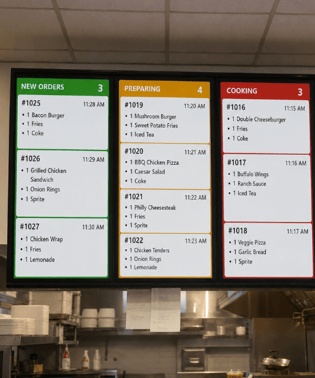
How to reduce the risk:
-
Make modifiers prominent on the kitchen display system.
-
Flag allergy-related and high-risk customizations.
-
Track modifier complaints by item, station, shift, and ordering channel.
2. Bagging errors the POS cannot detect
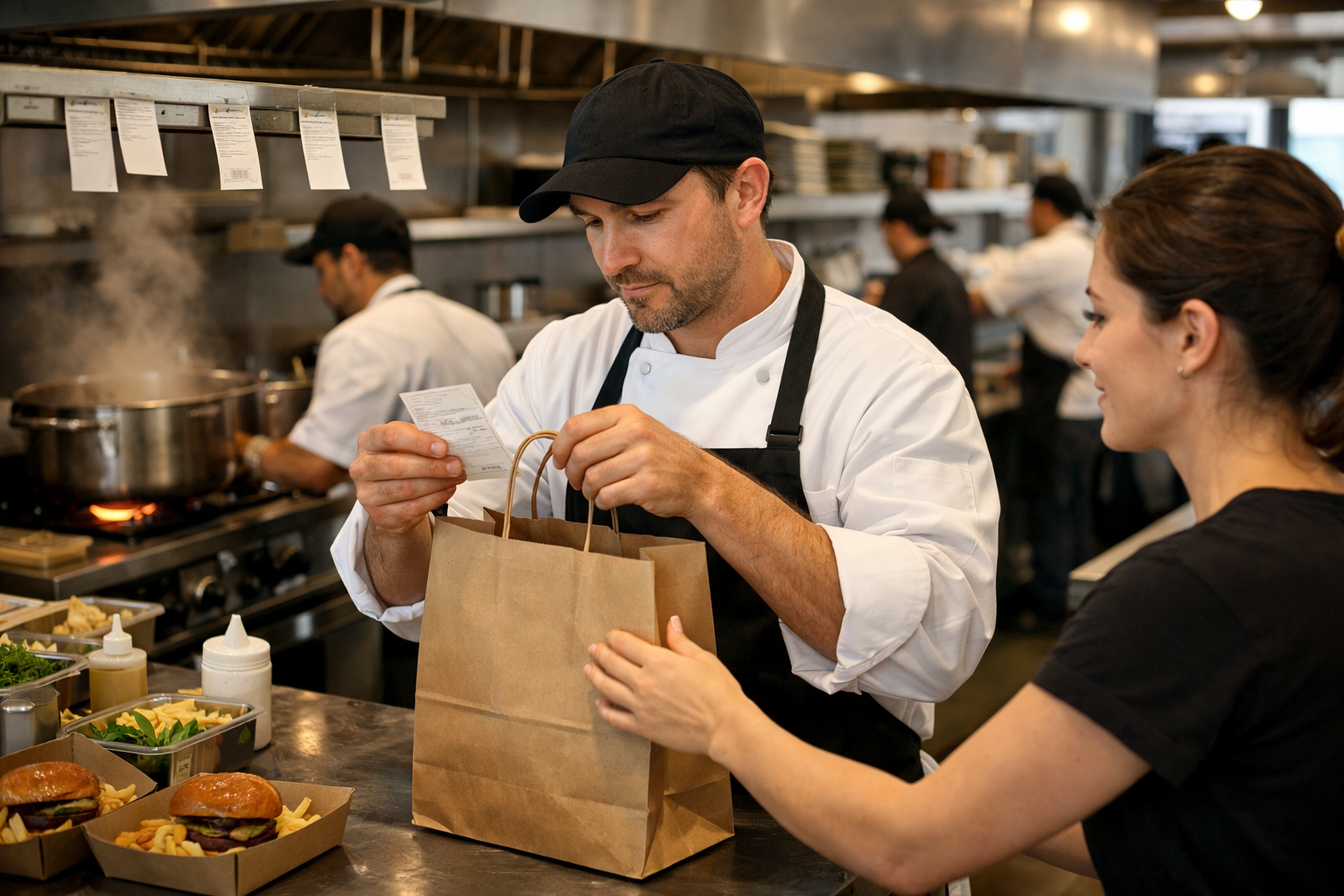
The POS knows an order includes a burger, fries, a drink, and a dessert. It does not know whether all four items made it into the bag. Bagging is especially vulnerable because items from several stations come together while employees may be packing multiple orders. Drinks and desserts are easy to miss when they are prepared elsewhere. Similar orders can be mixed up, and delivery bags can be sealed before anyone verifies the contents.
For multi-unit brands, complaints provide an incomplete picture. Some guests request a refund; others simply do not return. Restaurant order verification must therefore happen before handoff rather than depend on feedback afterward.
How to reduce the risk:
-
Assign clear ownership for the final bag check.
-
Use item-level prompts for large, customized, or multi-component orders.
-
Separate pending, completed, and verified orders in the staging area.
3. Channel-specific problems hidden in blended data
Counter, drive-thru, kiosk, mobile pickup, and third-party delivery orders may all enter the same POS, but they do not follow the same operational path. Drive-thru mistakes may cluster during peak speed-of-service windows. Mobile orders may carry more modifiers. Delivery orders add bag sealing and courier handoff. When all channels roll into one accuracy rate, a strong overall result can hide a weak delivery or mobile workflow.
Channel mix also differs by location. A delivery-heavy urban store should not be evaluated exactly like a suburban drive-thru. Reporting accuracy by location and ordering channel helps operators identify the specific problems each restaurant needs to fix.
How to reduce the risk:
-
Compare missing and incorrect items by channel and shift.
-
Identify the menu items and modifiers most often tied to each problem.
-
Design channel-specific fixes, such as delivery bag checks or clearer labeling.
4. Timing gaps between preparation, assembly, and handoff
An accurately entered order can still fail when stations finish at different times. Food may be ready while a drink, dessert, or cold item remains in progress. If the completed items are set aside without clear tracking, they can be forgotten, swapped, or packed with another order. A POS timestamp shows when an order was placed or closed. A kitchen display system (KDS) may show when a ticket was bumped. Neither timestamp proves that every component was together and verified at that moment.
Speed targets can work against accuracy here. Marking an order complete too early improves a time metric while masking an unfinished order.
How to reduce the risk:
-
Define when an item is prepared, when the full order is assembled, and when it is verified.
-
Keep incomplete components visible to the expo team.
-
Review remakes and partially fulfilled orders by station and shift.
5. Handoff mistakes after the order leaves the kitchen
A perfectly prepared order can still reach the wrong guest. Bags move from kitchen to expo, pickup shelves, drive-thru windows, curbside runners, and delivery drivers. Every transition creates another chance for a mix-up. Common failures include similar names staged together, a courier taking the wrong bag, drinks separated from the food, or an order marked complete before the full order reaches the curbside guest. In each case, the POS can show a completed transaction while the real-world handoff fails.
The final handoff should let employees answer three questions quickly: Is this the correct order? Has it been verified? Is it going to the correct guest, driver, or pickup location?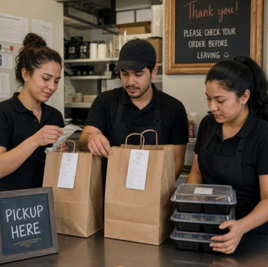
How to reduce the risk:
-
Label orders clearly with the name or number, channel, and pickup details.
-
Create distinct pickup zones for guests, drivers, curbside, and drive-thru.
-
Use a visible indicator to separate verified orders from those still awaiting a check.
What operators need to see beyond the POS
POS data remains essential. It provides the order record and transaction history. Food order accuracy, however, depends on what happens during preparation, assembly, bagging, staging, and handoff.
A useful view of operations connects those steps without burying teams in more data. It should help leaders:
-
Locate failures within the fulfillment journey.
-
Compare patterns across locations, shifts, channels, and menu categories.
-
See how volume, staffing, speed, and accuracy affect one another.
-
Coach teams with specific examples instead of broad reminders to “be more accurate.”
This is the kind of visibility Plainsight’s operational visibility platform is built to provide. By monitoring the line, expo area, and handoff points, it can surface patterns such as mobile pickup orders missing drinks during the dinner rush, not simply that accuracy is down.
Turn accuracy into an operational advantage
Food order accuracy affects refunds, remakes, labor, reviews, delivery marketplace performance, and guest trust. Treating it only as a complaint metric leaves operators reacting to mistakes they could have prevented.
The POS tells you what should be in the order. Operational visibility shows how that order moved through the restaurant and where it went off track. With a clear view of modifiers, bagging, channels, timing, and handoff, multi-unit leaders can fix the process rather than repeat the reminder.
Start by identifying where visibility ends between POS entry and guest handoff. Look for the moments when employees must rely on memory, verbal communication, or manual checks to keep an order on track. Those gaps are where greater operational visibility can prevent errors before they leave the restaurant.
What Is Restaurant Order Accuracy? A Guide for Multi-Location Operators
Make Your Cameras Count
No Comments Yet
Let us know what you think